
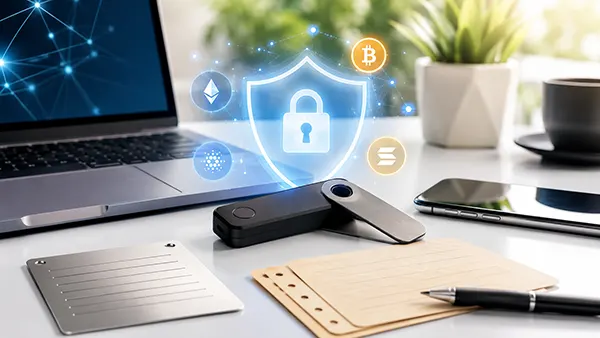
How to Use a Hardware Crypto Wallet Safely in 2026
A hardware crypto wallet keeps the private keys needed to authorise transactions away from an internet-connected computer or phone. This reduces exposure to malware, but the device cannot protect funds from every mistake. A stolen recovery phrase, an unchecked address, a fake support message or approval of a harmful smart contract can still lead to permanent loss. Safe use therefore depends on a clear routine: obtain a genuine device, initialise it yourself, protect the backup, verify every transaction on the wallet screen and prepare for loss or damage before an emergency occurs. The guidance below reflects common hardware-wallet security practices in 2026 and is written for everyday users rather than technical specialists.
Choose and Set Up the Device Without Creating Weak Points
Buy the wallet directly from its manufacturer or from a reseller listed by the manufacturer. A lower price from an unknown marketplace seller is not worth the risk of receiving a returned, altered or counterfeit device. When the package arrives, compare its contents and condition with the manufacturer’s current instructions. Packaging seals can provide useful warning signs, but they should not be treated as proof on their own because packaging designs change and seals can be copied. The stronger check is the authenticity process performed by the official wallet application and the device itself during setup. Stop immediately if the application reports modified firmware, failed authentication or any other integrity warning.
Download the companion application only from the manufacturer’s official website or a verified app-store listing reached independently, not through an advert, email or direct message. Check the web address carefully, as fake download pages often imitate the original design. During first use, follow the instructions shown by the official application and the hardware wallet together. Install only firmware signed by the manufacturer, and read each prompt on the device before confirming it. Firmware updates can correct security flaws and improve compatibility, but an update should never require you to send cryptocurrency, reveal a recovery phrase to support staff or enter the full backup into an ordinary web page.
Always create a new wallet on the hardware device. Do not use a device that arrives with a recovery phrase already printed, written down or supplied on a card, because the person who prepared that phrase may retain access to the same accounts. Do not import the recovery phrase of an existing phone or browser wallet merely to avoid transfer fees. That phrase may already have been exposed to an online environment, which removes much of the protection gained from hardware storage. Generate fresh keys on the device, verify a receiving address on its own screen and move funds to the new address through normal blockchain transactions.
Create a Secure Backup and Access Code
Set a device PIN that is difficult for another person to guess and is not reused for a bank card, phone or door alarm. Avoid birthdays, repeated digits and simple sequences. The PIN protects the physical device, while the recovery phrase protects the entire wallet; these are different layers of security. Depending on the wallet and backup method, the backup may contain 12, 20 or 24 words. Record every word in the exact order shown on the hardware wallet. Write clearly, complete any built-in confirmation process and never accept words displayed only on a computer screen.
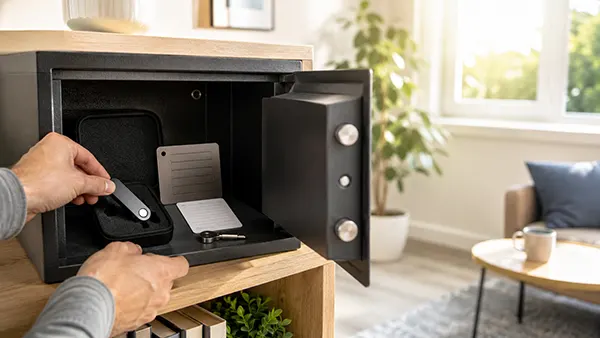
Keep the recovery phrase completely offline. Do not photograph it, scan it, email it to yourself, save it in cloud storage, place it in a notes application or type it into a password manager. A paper copy is easy to create but may be damaged by fire, water, humidity or fading ink. A purpose-made metal backup can provide better resistance to physical damage, although it must still be hidden from theft. Store the backup separately from the hardware wallet so that one burglary, fire or accident does not remove both. For a substantial balance, two carefully controlled locations may reduce the risk of a single physical failure, provided each copy is protected equally well.
An optional passphrase can create an additional wallet that requires both the standard backup and the exact passphrase. This can protect funds if someone finds the recovery phrase, but it also creates a serious risk: a forgotten, mistyped or poorly documented passphrase may make the associated wallet impossible to recover. Use this feature only after reading the manufacturer’s instructions and testing access with a small amount. If the passphrase is written down, keep it offline and separate from the recovery phrase. A complex arrangement that the owner cannot reliably restore is less secure in practice than a simpler arrangement managed correctly.
Make Every Transaction Deliberate and Verifiable
Treat the hardware wallet’s own screen as the final source of transaction details. Malware can alter an address displayed on a computer or phone, so compare the full receiving address shown by the application with the address shown on the device. Check the first and last characters at minimum, and inspect the complete address when the value is significant. Do not rely on an address copied from transaction history, because address-poisoning scams place similar-looking entries in that history. Obtain the destination address from the intended recipient or service and confirm it through a second trusted communication channel when practical.
Before moving a large balance, send a small test transaction using the same asset, network and destination address. Wait for the expected confirmation and verify that the funds reached the correct account before sending the remainder. A successful test cannot protect against every later mistake, but it can reveal an incorrect network, unsupported deposit route, copied address error or misunderstanding about destination tags and memos. Check the receiving service’s current deposit instructions each time, especially for assets that operate on several networks. Selecting the wrong network can delay recovery or make it impossible, even when the visible asset name appears correct.
Review the amount, destination, network and fee before approving. High fees may be a temporary network condition, but they can also indicate a mistaken amount or unsuitable settings. Never confirm several prompts quickly simply because the computer application says the transaction is ready. If the device screen cannot show enough information for you to understand what is being signed, cancel the action and investigate. Keep enough of the network’s native asset to pay future transaction fees where required. Maintaining a written personal routine, such as address check, network check, amount check and test transfer, reduces errors during stressful or hurried transactions.
Reduce Phishing, Malware and Smart-Contract Risk
No genuine wallet manufacturer or support worker needs your recovery phrase, PIN or passphrase. Messages claiming that a wallet must be verified, synchronised, upgraded or reactivated by entering the backup are phishing attempts. The same applies to urgent warnings that a device will be disabled unless you act immediately. Do not follow links in unexpected emails, text messages, social posts or private chats. Open the official application directly and reach support through contact details you have checked independently. Modern scams may use polished writing, convincing websites, realistic voice calls and generated video, so professional appearance is not evidence of legitimacy.
Keep the computer or phone used with the wallet updated, protected by a strong login and free from unnecessary browser extensions. A hardware wallet keeps private keys away from the computer, but malware may still replace copied addresses, display false balances or lead you to a harmful transaction. Use a dedicated browser profile or separate device for cryptocurrency activity if the value justifies it. Avoid connecting the wallet to unfamiliar applications merely to claim an airdrop, token or reward. Unexpected tokens and NFTs can be bait designed to lead users to malicious websites; simply receiving one does not mean it should be opened, traded or approved.
Smart-contract approvals deserve the same care as direct payments. A hardware wallet can confirm that you signed an instruction, but it cannot guarantee that the instruction is safe or fair. Read the transaction summary, limit token allowances where the application permits and avoid unlimited approval unless it is necessary and you trust the contract. Consider keeping long-term holdings in an account that is never connected to experimental services, while using a separate account with a limited balance for frequent activity. Review and revoke permissions that are no longer needed through a reputable tool appropriate to the relevant network.
Prepare for Loss, Damage and Long-Term Access
Cryptocurrency is recorded on its blockchain, not stored inside the physical wallet. If the device is lost, damaged or stops working, access can normally be restored on a compatible wallet by using the correct recovery phrase and any required passphrase. The urgent question is whether someone else may have obtained the device, the backup or both. A lost device protected by a strong PIN does not automatically mean the funds have been stolen, but it should trigger a calm review of the circumstances. Replace the device through a trusted source and restore access in a private setting rather than entering the backup into the first application found online.
Confirm that the backup works before placing a substantial balance under its control. Use the manufacturer’s official backup-check function where available, as this can verify the words without creating a digital copy or moving funds. Perform the check in a private location and follow the device instructions exactly. Do not improvise by typing the phrase into a website or an unverified software wallet. Repeat the check after changing the backup arrangement and before wiping or replacing a device. A backup that has never been verified may contain a spelling error, wrong word order or missing share that remains unnoticed until recovery is urgently needed.
Review the physical storage arrangement periodically. Paper can fade, metal letters can be recorded incorrectly, safes can be moved and trusted locations can become accessible to other people. Check that the backup remains readable and complete without making a digital copy. Consider how fire, flooding, theft and changes in your living situation could affect access. Keep an inventory of wallet devices, supported assets and recovery methods that does not reveal secret words. For long-term ownership, document enough information for a trusted person or executor to identify the correct recovery process, while keeping the actual secrets protected until they are legitimately needed.
Respond Correctly When Something Goes Wrong
If the recovery phrase may have been photographed, typed online, shown to another person or found in an insecure place, assume the wallet is compromised. A new PIN or passphrase added afterwards does not remove an attacker’s copy of the original backup. Obtain or reset a trusted hardware wallet, generate a completely new recovery phrase and transfer the assets to addresses controlled by the new wallet. Start with a small test transfer when time allows, then move the remaining funds promptly. Do not reuse the exposed phrase, and do not engage with anyone offering paid recovery help in an unsolicited message.
If only the hardware device is lost or stolen and the recovery phrase remains secure, restore the wallet on a genuine replacement device. Check the old device’s PIN strength, the circumstances of the loss and whether anyone could also reach the backup. When there is reasonable doubt, move the assets to a newly generated wallet rather than continuing to use the same recovery phrase. If a transaction has already been sent to the wrong address or approved through a malicious contract, blockchain transfers usually cannot be reversed. Contact the receiving service through verified channels when one is involved, revoke remaining permissions and move unaffected assets before seeking specialist advice.
A safe hardware-wallet plan must remain understandable to the person who owns it. Record when firmware and backup checks were last completed, review storage after moving home and update inheritance instructions when devices or passphrases change. Do not include the recovery phrase in an ordinary will, email or shared household document that may be copied widely. Instead, use a controlled legal and physical arrangement suited to the value involved and the laws of the relevant country. The strongest routine is not the most complicated one; it is the one that keeps secrets offline, makes transactions easy to verify and can still be followed accurately years later.
Popular articles
-
 How Stablecoins Are Used for International Money Transfers
Stablecoins have moved well beyond their original role as a …
-
How to Use a Hardware Crypto Wallet Safely in 2026
A hardware crypto wallet keeps the private keys needed to …